
Published on 30 April 2025 · Updated on 8 July 2026 · by Ismail Nasry
In brief: Git, merge conflicts, git bisect, and lessons learned from years of versioning: how version control can save (or ruin) your day.
Project Versioning: The Thin Line Between Joy and Despair
I still remember that Friday afternoon in 2019 when I spent three hours resolving a merge conflict on a branch that shouldn’t have existed. I was working on a WordPress site with a three-person team, and someone – I never found out who – had committed directly to main while the rest of us were working on feature/redesign. The result: 47 conflicts, a two-hour meeting to figure out what to keep, and a deployment pushed to Monday.
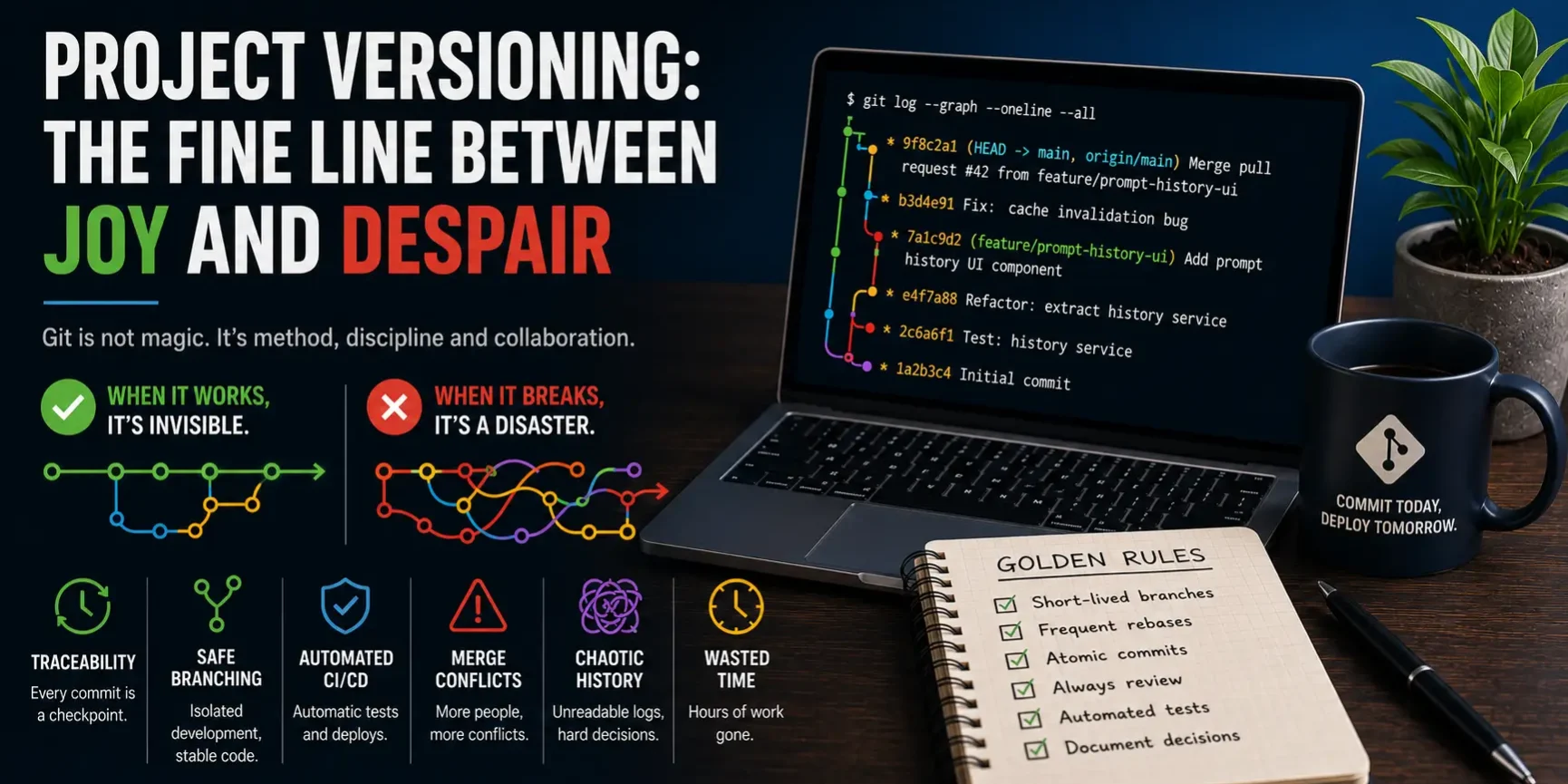
Versioning is like that: when it works, it’s invisible. When it breaks, you remember why it’s called “version control” and not “version magic.” In this article, I share what I’ve learned over years of Git – between joys (git bisect) and despairs (merge hell).
Why Versioning Saves Lives (And When It Doesn’t)
I’ve used Git since I started developing seriously. The benefits are undeniable:
- Traceability: every commit is a checkpoint. Break something? Roll back. Don’t know what caused a bug?
git bisectpinpoints the exact commit that introduced it. I used this on PromptMaster Pro to find a caching bug introduced three weeks earlier – it cut the search from days to 10 minutes. - Branching: work on isolated features without fear of breaking stable code. My workflow: feature branch, development, testing, rebase onto main, squash merge. Clean and linear.
- CI/CD: every push triggers automated tests. If the code breaks something, I know in 5 minutes, not when the client opens a ticket.
But versioning has a dark side too:
- Learning curve: explaining
git rebase --interactiveto a designer is like explaining general relativity to a cat. Not everyone needs to know it, but if they don’t understand the flow, they create chaos. - Merge hell: the bigger the team, the more conflicts arise. The solution isn’t technical – it’s organizational. Short branches, small commits, frequent rebases.
- False sense of security: Git doesn’t save you from bad decisions. I’ve seen pristine repositories with terrible code. Versioning tracks mistakes, it doesn’t prevent them.
My Daily Workflow
After years of trial and error, I’ve settled on a setup that works for me and for PromptMaster Pro:
- Protected main branch: no direct pushes. Only merge via pull request with review.
- Descriptive feature branch names:
feature/prompt-history-ui, notfixortest. - Atomic commits: one commit = one logical change.
git add -pis my best friend. - Rebase before merge: keeps history linear. No useless merge commits.
- Semantic versioning tags:
v2.1.3means something.vFinal_definitive_3doesn’t.
On PromptMaster Pro, every feature goes through this flow. Branch, develop, test locally, PR, code review, squash merge, deploy. Versioning isn’t optional – it’s the project’s backbone.
Mistakes I’ve Made (And Seen Others Make)
- Giant commits: “various changes” with 30 modified files. A nightmare to review and revert. Now: small commits, descriptive messages.
- Merging without rebasing: history becomes a plate of spaghetti.
git log --graphbecomes unreadable. Now: always rebase before merge. - Ignoring .gitignore: config files, passwords,
node_modulesending up in the repository. Now I always check what’s about to be committed withgit status. - Working on main: “it’s just a small change” – then the conflict with a colleague’s feature branch arrives. Now: never on main, not even for a typo.
- Not documenting the workflow: every team has its rules, but if they’re not written down, someone will break them. Now every repo has a CONTRIBUTING.md.
Tools I Use
Beyond Git on the command line (still my favorite), here are some tools that make life easier:
- GitKraken: clean UI, great for onboarding non-developers.
- GitHub Desktop: simple, effective, perfect for occasional users.
- Git LFS: for binary files. I use it for project assets (images, mockups).
- GitHub Actions: integrated CI/CD. Automatic test, lint, and build on every push.
- git bisect: the killer feature few people use. Learn it. It will save you.
When Things Go Wrong
No matter how disciplined you are, things will break. A colleague force-pushes to the wrong branch. A merge conflict resurrects code you deleted months ago. Someone commits credentials (and you rush to rotate them all).
The difference between a good team and a stressed team isn’t the absence of these events – it’s how they handle them. A clear incident protocol, good communication, and the ability to say “I broke it, I’ll fix it” make all the difference.
At PromptMaster Pro, we have a rule: if a mistake happens, the first priority is fixing it, not finding who caused it. Blameless post-mortems after. It changed the team culture completely.
Conclusion
Versioning isn’t a technical matter – it’s a matter of discipline. More than a tool, it’s an agreement: “I log what I do, you respect it, together we don’t waste time.”
And if tomorrow a merge hell happens? Peace. We’ll fix it. But that Friday afternoon: git reset --hard and a good chunk of the week gone. Since that day, git pull --rebase before touching any file. A lesson I won’t forget.
Work with me
Need help with this topic? I develop custom solutions tailored to your needs.


